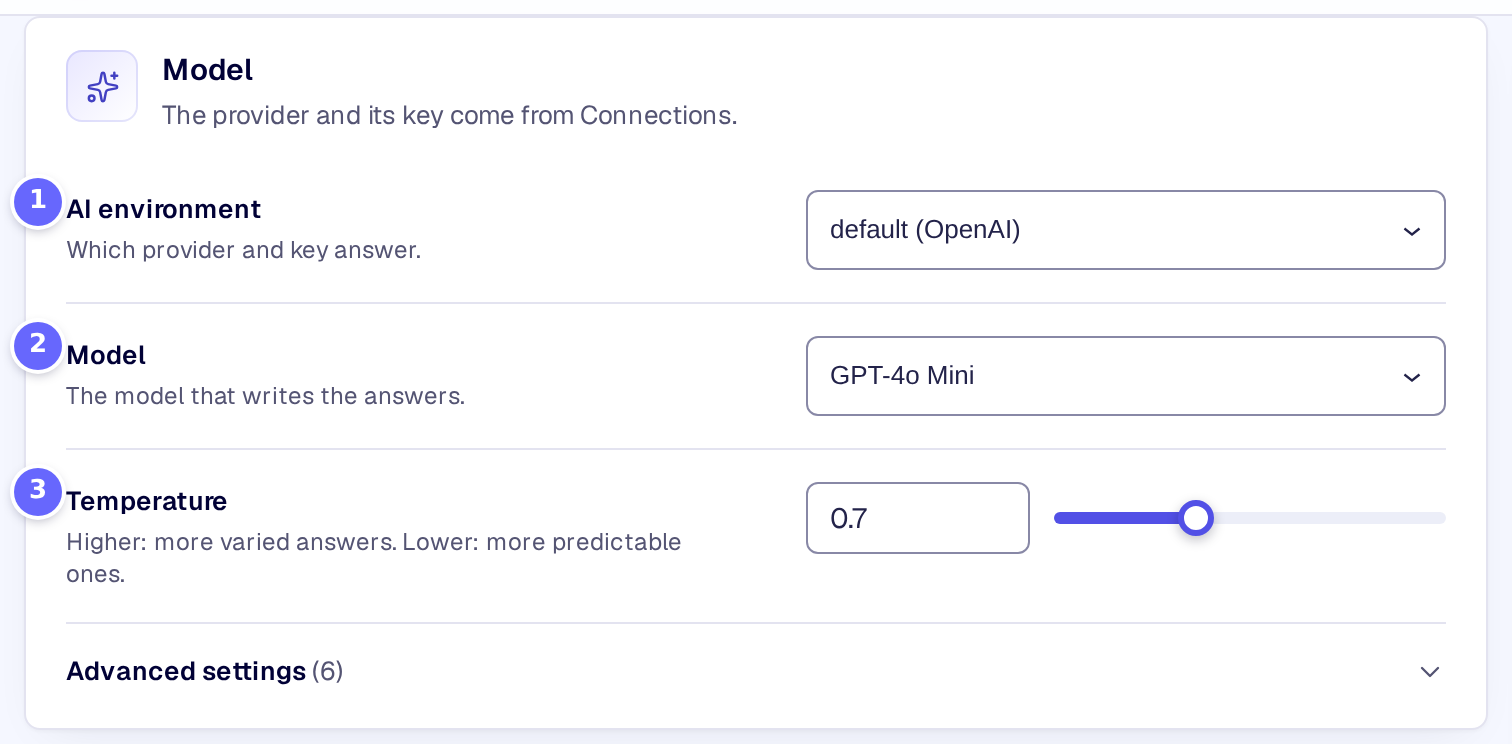
The model is the AI that writes the chatbot’s answers. You choose which of your connected AI providers answers, which of its models, and how it answers: how much it reasons, how much it writes and how varied its wording is. The advanced settings set the limits of a conversation and a smaller model for KimaAI’s own helper calls.
Set it up
Connect at least one AI provider on Connections. See AI environments.
Go to Chatbot → Behaviour and find the Model card.
Choose the AI environment: the provider and key that answer.
Choose the Model.
Adjust the settings the model offers: Reasoning level and Verbosity for models that reason, Temperature for the others.
Open Advanced settings at the bottom of the card to change the limits or choose a Utility model.
Select Save changes. The preview beside the settings answers with the new model.
AI environment is the connected provider, with its key, that answers.
Model is the model of that provider that writes the answers.
Temperature shows for models that take it: lower is more predictable.
Settings
Model
Setting
What it does
AI environment
Which of the AI environments set up on Connections answers. Without a choice, the first one answers.
Model
The model that writes the answers, from the models of the chosen environment.
Reasoning level
How much effort the model puts into thinking before it answers: better answers to hard questions, but slower. Shows only for models that reason.
Verbosity
How short or detailed the answers are. Shows only for models that offer it.
Temperature
From 0 to 2: higher gives more varied answers, lower more predictable ones. Shows only for models that take it, and is not used with reasoning models.
Advanced model settings
Setting
What it does
Stream answers
Shows an answer word by word while it is written, instead of all at once when it is done.
Maximum answer length (tokens)
The most tokens one answer may use.
Maximum message length
The most characters a visitor can write in one message. A longer message gets no answer, and the visitor is asked to shorten it.
Maximum page context (characters)
How much of the page the visitor is on is sent with a question, in characters. The text is cut at a whole sentence. See Content awareness.
Messages per visitor per day
How many messages one visitor, by IP address, gets answered a day. After that the chatbot asks them to come back tomorrow.
Utility model
A small, fast model for KimaAI’s own helper calls, such as rewriting a follow-up question for the knowledge base search. Default (use chat model) uses the chatbot’s model.
Utility reasoning level
How much effort the utility model puts into thinking. Shows when the chosen utility model reasons.
Utility verbosity
How short or detailed the utility model’s replies are. Shows when the chosen utility model offers it.
How it works
The settings in the Model card change with the model: a model that reasons offers Reasoning level and, where it has one, Verbosity; another model offers Temperature.
The whole conversation so far is sent with every question, so the chatbot can follow up on what was said.
The Utility model runs on the same AI environment as the chatbot. KimaAI uses it for Conversation-aware queries and the Groundedness check of the knowledge base.
Answers do not stream while the output guardrails check them for banned terms: they arrive whole. See Guardrails.
Each conversation on Chatbot → Conversations shows the model that answered and the tokens it used. See Chatbot history.
Troubleshooting
An environment is marked “no longer available”. The environment the chatbot used was removed on Connections. Choose another AI environment.
Visitors are told they reached the maximum number of messages. Raise Messages per visitor per day.
Long questions get no answer. Raise Maximum message length.
Answers stop in the middle. Raise Maximum answer length (tokens).