

KimaAI writes what it does to log files: connection tests, content syncs, handoffs, and every error it meets. When something does not work as expected, the log is the first place to look.
You read the files in the admin, filter them by level, and download them to share.
Set it up
- In the KimaAI admin, go to Settings → Logs. The Log files tab lists the files, the newest first.
- Select a file to read its entries. Search them, or choose a level to see only errors or warnings.
- To change how much KimaAI records, open the Settings tab and choose the Log level.
- To delete old files automatically, turn on Delete old log files and choose how long to Keep log files for.
- Select Save changes.
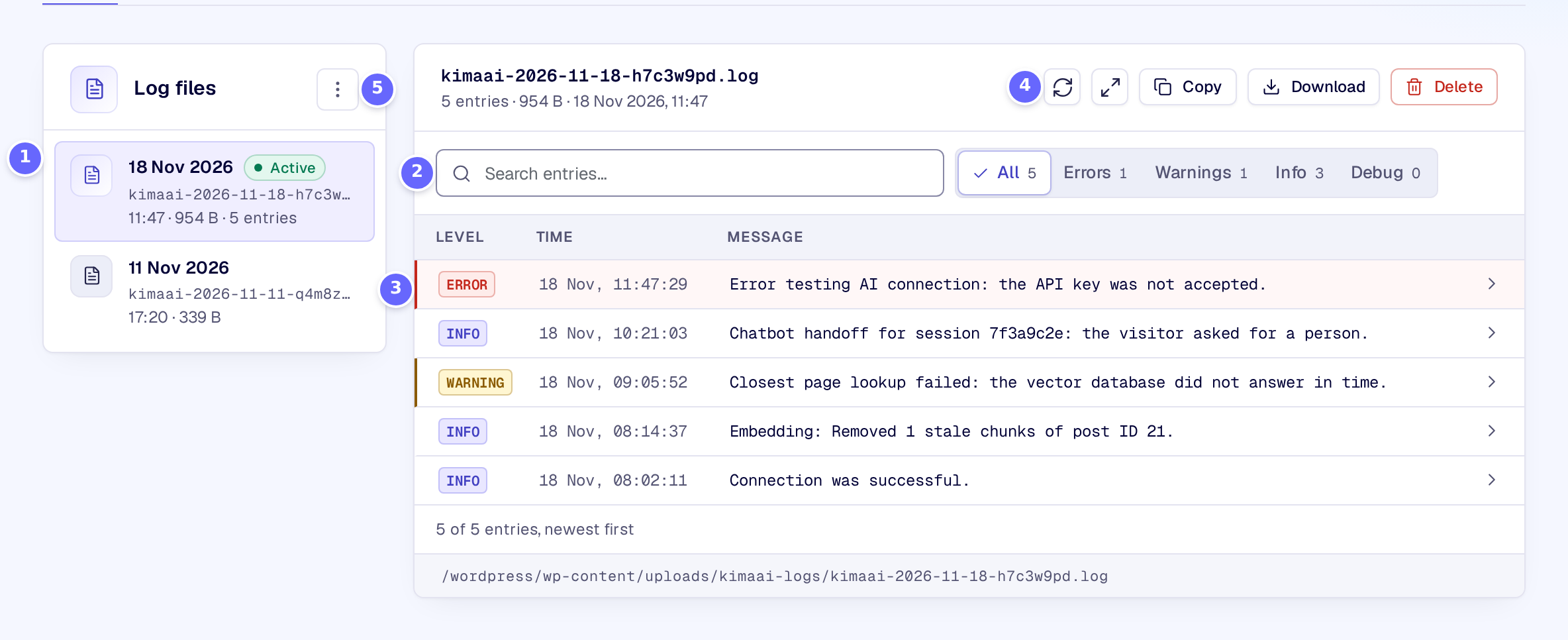
- The log files, each with its day, name, time and size. Active marks the file KimaAI writes to now.
- Search the entries, or show one level only: Errors, Warnings, Info or Debug.
- The entries, newest first, each with its level, time and message. Select one to see where it came from, and to copy it.
- The open file’s buttons: refresh, full screen, copy, Download to save the file, and Delete.
- The menu of all files: Clear all empties every file, Delete all log files removes them.
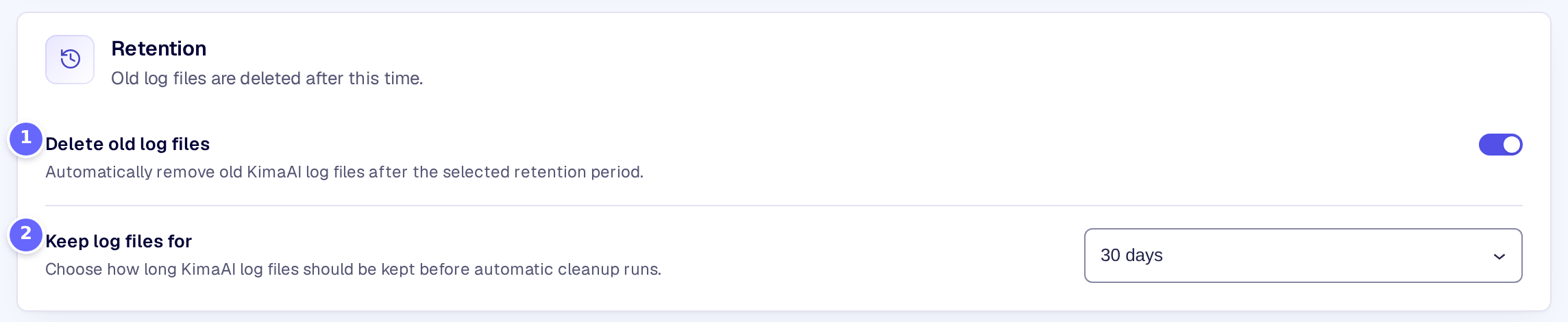
- Delete old log files switches the automatic deletion on.
- Keep log files for sets how long a file is kept after its last entry.
Settings
Logging
| Setting | What it does |
|---|---|
| Log level | The lowest level recorded: Error, Warning, Notice, Info or Debug. Info records Info, Notice, Warning and Error; Debug records everything. Info by default. |
Retention
| Setting | What it does |
|---|---|
| Delete old log files | Deletes log files automatically once they are older than the time you choose. |
| Keep log files for | How long a file is kept: 7, 14, 30, 90 or 180 days, or a number of days you choose. |
| Custom retention (days) | The number of days, when Keep log files for is Custom days. Without a valid number, nothing is deleted. |
How it works
- The files are in
wp-content/uploads/kimaai-logs/, a folder KimaAI protects from being opened in a browser. The path of the open file shows under its entries. - When the active file grows past 5 MB, KimaAI renames it and starts a new one.
- Times in the files are in UTC.
- Debug writes a lot, including the code of your function tools when they load. Use it to find a problem, then go back to Info.
- Old files are deleted once a day: a file goes when its last change is older than the time you chose.
Troubleshooting
- No log files yet. KimaAI starts a file when it has something to record at the level you chose. With Error, that may take a while.
- The logs could not be loaded. Select Try again. If it keeps failing, check that WordPress may write to
wp-content/uploads/. - An entry is missing. Its level is below the Log level. Choose a lower level, such as Debug, and repeat what you did.
Related
- Function tools: errors of your functions are logged here.
- Privacy and consent: how long conversations are kept.