

Human handoff tells your team when a conversation with the chatbot goes wrong, so a person can step in. When a visitor rates several answers as not helpful, or an answer cannot be verified against your content, KimaAI sends the whole conversation to your team’s email address or to a webhook, such as a helpdesk or a chat tool.
Set it up
- In the KimaAI admin, select Handoff in the menu.
- In the Human handoff section, turn on Human handoff.
- Set the Negative ratings threshold: after how many answers rated not helpful in one conversation it goes to your team.
- Turn on Escalate unverified answers if an answer that fails the groundedness check should go to your team too.
- In the Where it goes section, enter the Handoff email, the Handoff webhook (optional), or both.
- Select Save changes.
The first section decides when a conversation goes to your team:
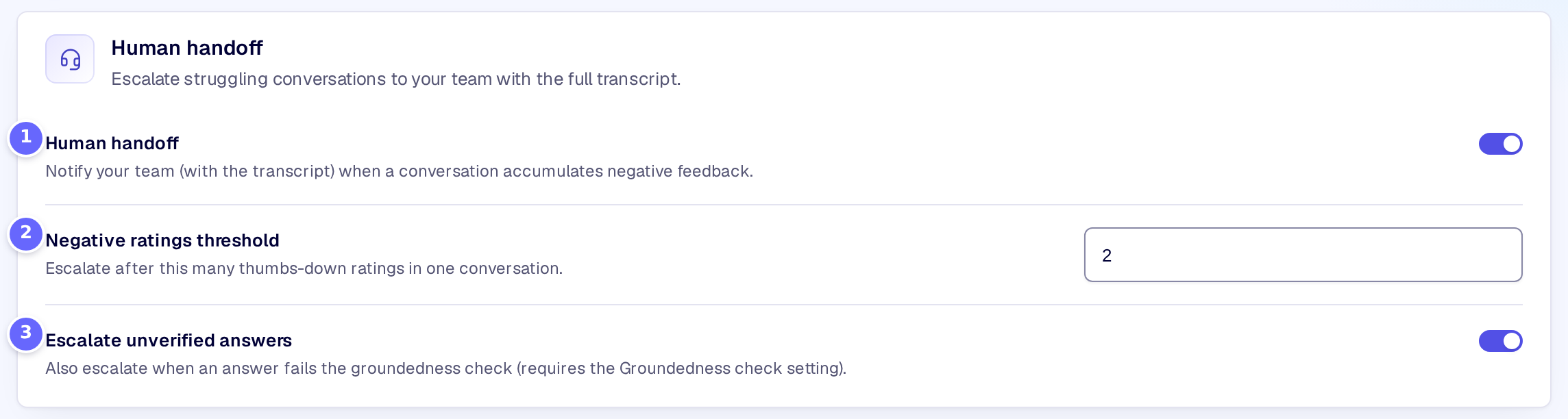
- Human handoff switches the handoff on.
- Negative ratings threshold is the number of thumbs down that starts it.
- Escalate unverified answers adds the answers the groundedness check could not verify.
The second decides where it goes:
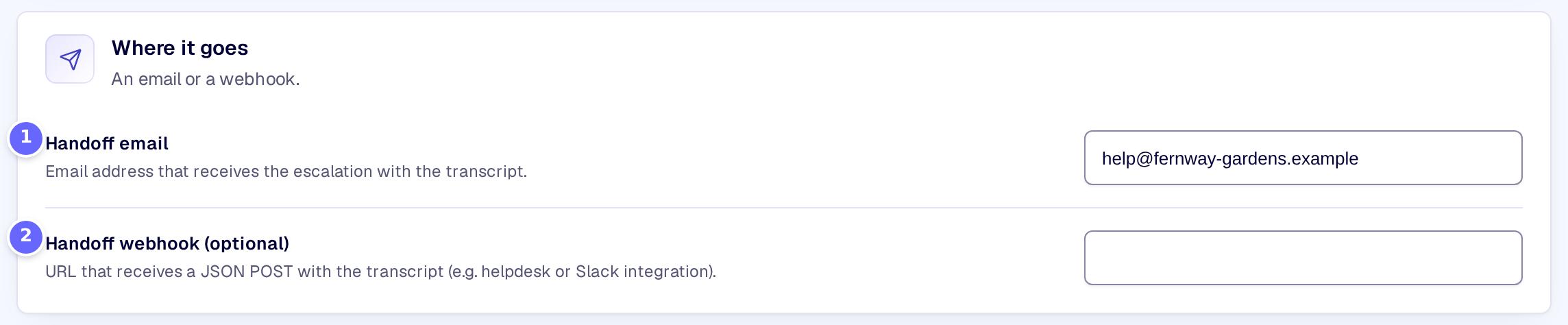
- Handoff email receives the conversation as an email.
- Handoff webhook (optional) receives it as JSON.
The thumbs down come from the visitors’ ratings, so Message feedback must be on (Feedback). Escalate unverified answers works only with Groundedness check on, in the knowledge base settings (Knowledge base).
Settings
The Human handoff section
| Setting | What it does |
|---|---|
| Human handoff | Sends a conversation to your team when it meets one of the conditions below. |
| Negative ratings threshold | How many answers of one conversation a visitor rates not helpful before it goes to your team, from 1 to 10. The default is 2. |
| Escalate unverified answers | Also sends the conversation when one of its answers fails the groundedness check. |
The Where it goes section
| Setting | What it does |
|---|---|
| Handoff email | The address that receives the conversation, with the reason and the transcript. |
| Handoff webhook (optional) | A URL that receives the conversation as a JSON POST, for a helpdesk, Slack or another tool. |
How it works
- A conversation goes to your team once. Later ratings in the same conversation send nothing more.
- The email’s subject reads “[your site’s name] Chatbot conversation needs a human”, with a reference such as
KA-1A2B3C4D. The email holds the reason, the reference, the session ID and the transcript. - The webhook receives a JSON object with
type(kimaai_handoff),site,session_id,reference,reason,lead_emailandtranscript. Any2xxanswer counts as delivered; KimaAI waits up to 10 seconds. - Card numbers and IBANs are masked in the transcript. Email addresses and phone numbers the visitor wrote stay readable, so your team can reply.
- If neither the email nor the webhook is delivered, KimaAI writes a warning to its log and tries again on the next trigger in that conversation.
- The visitor sees nothing of the handoff in the chat.
- The test conversations of quality evaluation never go to your team.
- Developers can react to each handoff with the kimaai_chatbot_handoff action.
Troubleshooting
- Nothing arrives. Check that Human handoff is on and that the email address or the webhook URL is filled in, then look for a warning in Logs. An email that WordPress cannot send is not delivered: test that your site sends email at all, for example with a password reset.
- No conversation reaches the threshold. Check that Message feedback is on, so visitors can rate answers.
Related
- Feedback: the ratings that start a handoff.
- Knowledge base: the groundedness check.
- Conversations: every conversation, also those that went to your team.