

Feedback lets visitors tell you how the chatbot is doing. Under each answer they can say whether it helped, and when a longer conversation ends they can rate it from 1 to 5 stars. The Feedback report collects their ratings and comments, with the conversation behind each one, so you see which answers to fix.
Set it up
- In the KimaAI admin, select Feedback Analytics in the menu and open the Settings tab.
- In the Feedback section, turn on Message feedback for the rating under each answer.
- Turn on Session feedback for the rating of the whole conversation.
- Select Save changes.
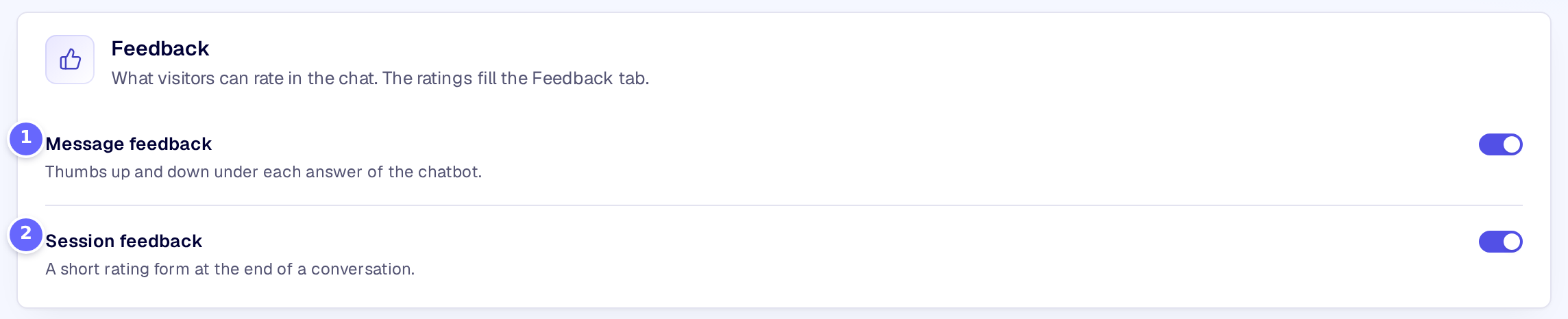
- Message feedback shows the thumbs under each answer.
- Session feedback asks for a rating of the conversation when it ends.
Visitors then see a thumbs up and a thumbs down under each answer. The thumbs down asks what went wrong:
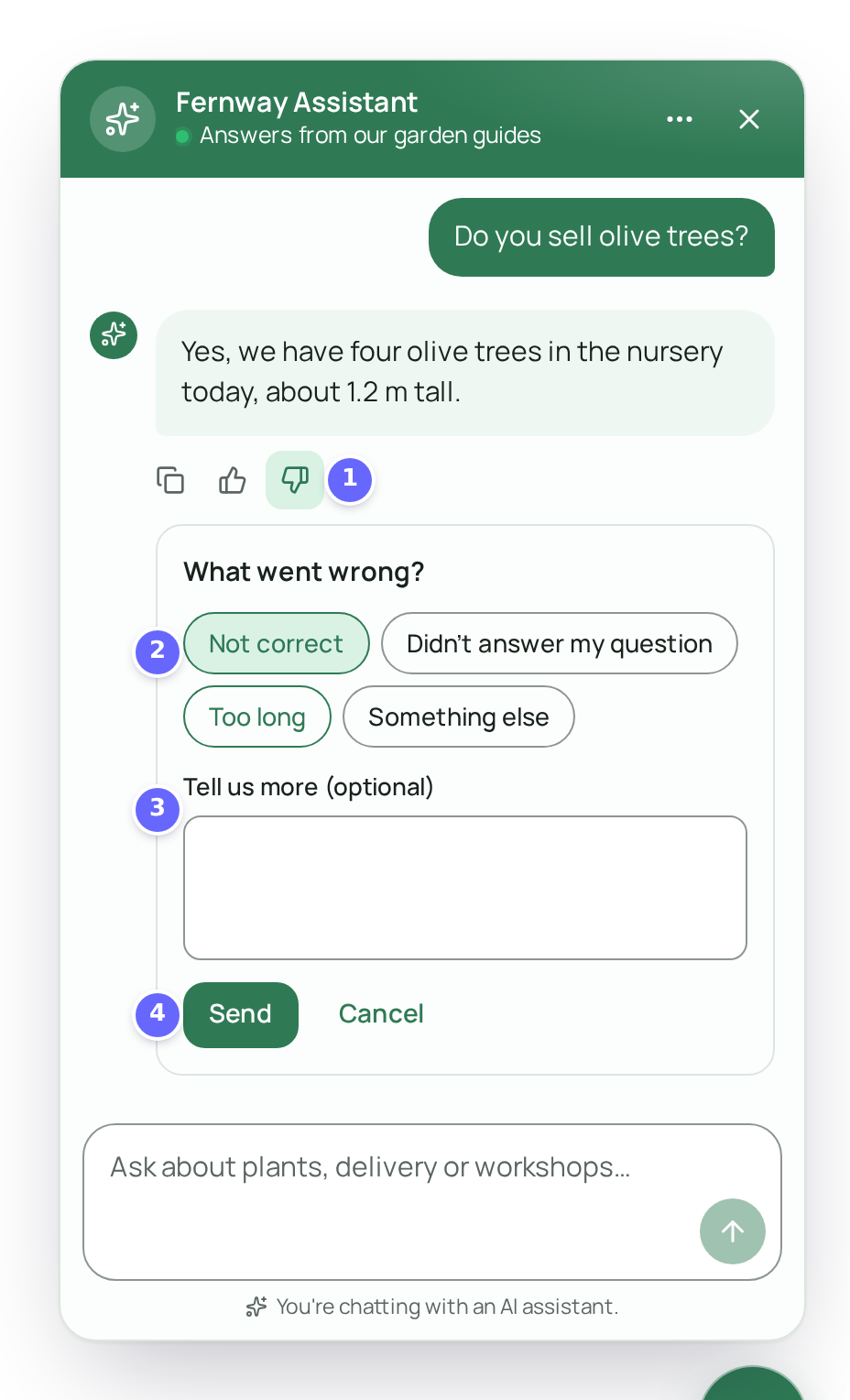
- The thumbs up (Helpful) and the thumbs down (Not helpful).
- The reasons the visitor can pick after the thumbs down.
- An optional comment.
- Send stores the rating with the reason and the comment.
To read the ratings, open the Feedback tab of Feedback Analytics:
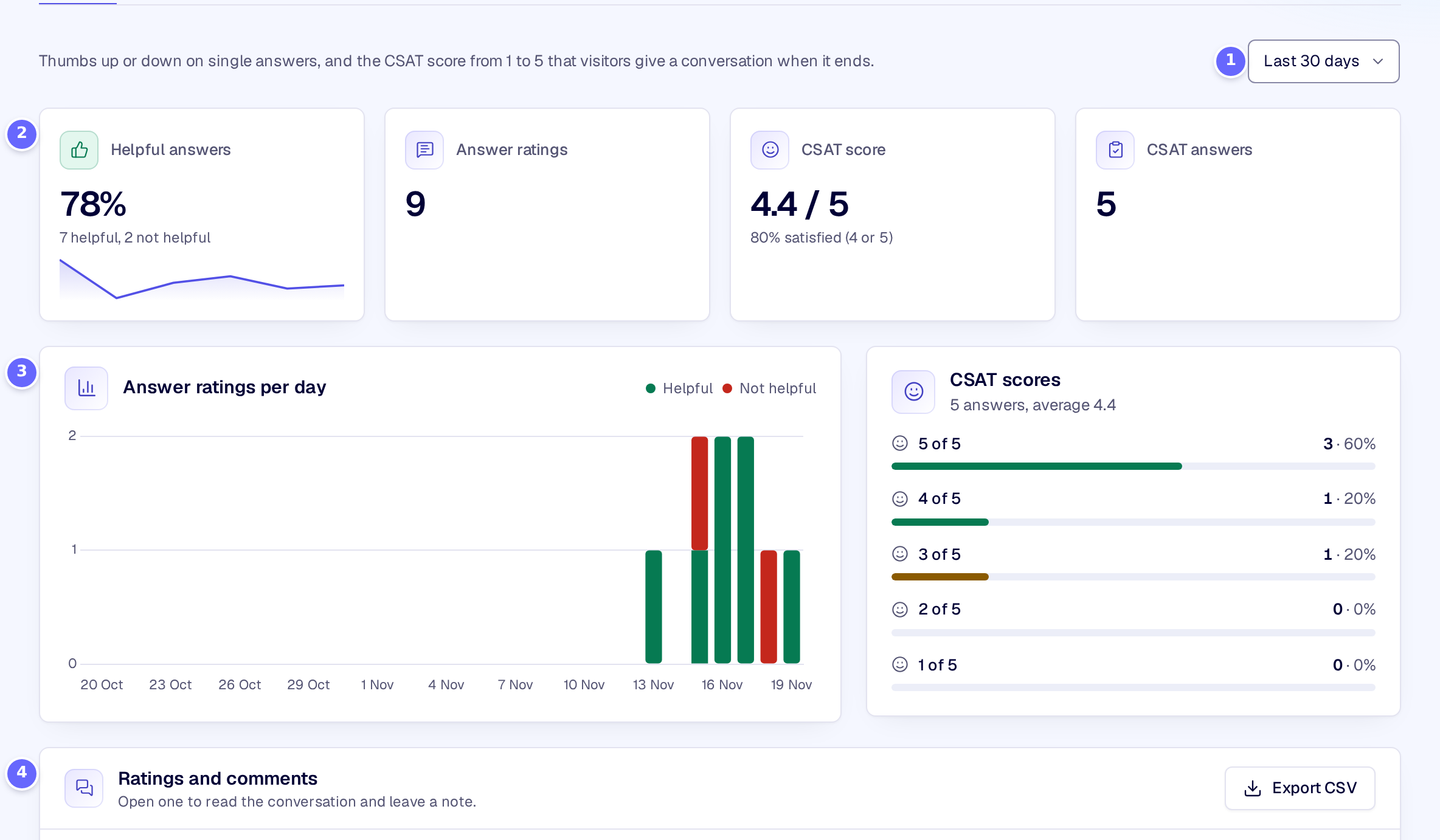
- The date range: the last 7, 30 or 90 days.
- The figures of the range: the share of helpful answers, the number of answer ratings, the average CSAT score and the number of CSAT answers.
- The answer ratings per day, and how many conversations got each number of stars.
- Every rating and comment in one list.
Settings
| Setting | What it does |
|---|---|
| Message feedback | Shows a thumbs up (Helpful) and a thumbs down (Not helpful) under each answer. |
| Session feedback | Asks the visitor to rate the conversation from 1 to 5 stars when they close the chat or start over. |
How it works
- Answer ratings. A thumbs up is stored at once. A thumbs down opens What went wrong? with the reasons Not correct, Didn’t answer my question, Too long and Something else, and Tell us more (optional); the reason and the comment are stored together as the comment, up to 500 characters. Each answer can be rated once.
- Conversation ratings (CSAT). When the visitor closes the chat or starts a new conversation after at least three answers, the chat asks How was this chat? with five stars and What could we do better? (optional). A conversation is rated once. Not now closes the question, and it does not come back in that conversation.
- The list. Search the comments and your notes, and filter by type, by rating and by With a comment. Open a rating to read its conversation, with the rated answer highlighted, leave a Note that only admins see, and Mark as resolved what you have dealt with. Export CSV downloads the list. Delete removes ratings for good; their conversations stay in Conversations.
- Ratings are deleted with their conversations when you set a retention period on Settings → Privacy and security (Privacy and consent).
- Thumbs down can hand a conversation to your team: see Human handoff.
Troubleshooting
- The report says that feedback is switched off. Both Message feedback and Session feedback are off: turn on at least one on the Settings tab.
- Visitors never see the star rating. It asks only after three answers, once per conversation, and only when the visitor closes the chat or starts a new conversation.
Related
- Conversations: every conversation, rated or not.
- Human handoff: send conversations with several thumbs down to your team.
- Quality evaluation: turn the questions visitors rated badly into test cases.